
Garmin is always innovating. One such product is their OnDeck Vessel Monitoring System. OnDeck is a comprehensive product that will allow for remote monitoring of boat location, battery voltage, bilge pump activity and more using the Garmin Active Captain App. While boat monitoring nothing new, having a comprehensive kit like this that can work by itself, or integrate right into a Garmin equipped boat is new.
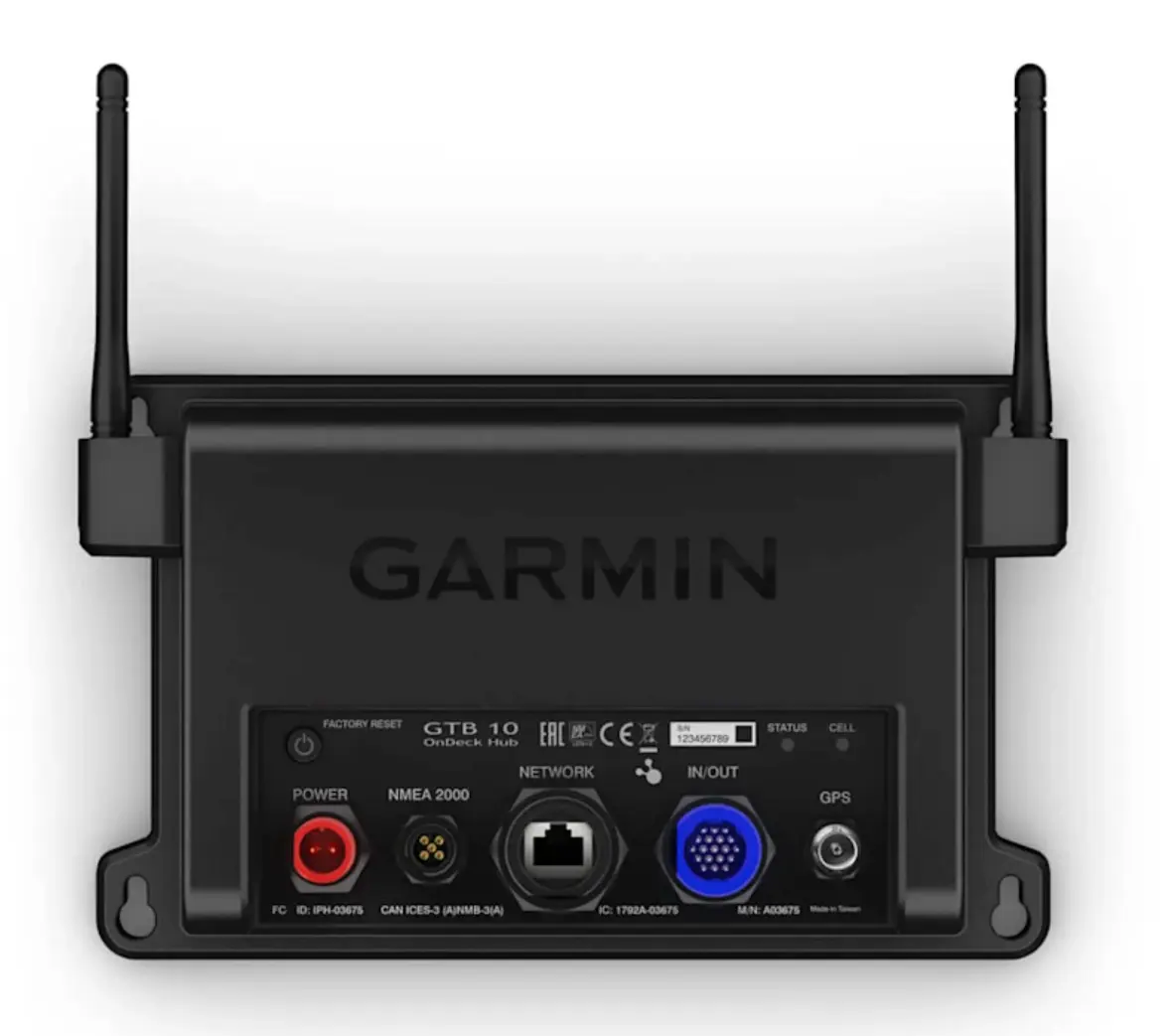
What is OnDeck? OnDeck is a black box that will mount below decks (more on that below), has built in 3G/4G wireless cellular connectivity, Wi-Fi, internal GOS antenna, NMEA2000, and Garmin Networking. The system includes sensors to monitor:
- ambient temperature
- shore power
- security (open door for example)
- bilge activity
- battery voltage
- boat position
- and a relay to remotely control a 12V device
Again, none of this is novel, but having it all in one kit is pretty cool.
OnDock requires a subscription to enable remote monitoring. Subscriptions are from $12.99/month for an annual plan to $19.99/month for a plan you can start and stop as needed.
The OnDeck Black Box needs to be mounted in a water tight area, likely inside a center console or under helm on a larger boat. The internal GPS antenna is very sensitive and should work fine under a layer of fiberglass. If you want to mount it in a metal boat or bury deeper in a boat then you'll need an external GPS antenna - HERE
Most of the sensors are connected through the 19 Pin In/Out cable. Bilge pumps and batts for example connect right to this cable. The temp sensor, security sensor, shore power sensor and relays are small modules that connect to this 19 Pion Cable too.
Most of these sensors will connect to the single Black Ground Wire on the 19 Pin Cable. So we suggest a terminal strip to keep this clean. These are listed under Accessories on the OnDeck page of our website.
Garmin also suggests 1amp Fuses on all of the positive wires used in your installation. So stock up on these if you want to follow this step. We are not recommending one way or another, but find this step is often ignored. You'll want to make sure you have lots of pink butt connectors and ring terminals too, listed as accessories on the OnDeck page of our website.
OnDeck will network right into your NMEA2000 Network and your Garmin ethernet network. Keep in mind, NMEA2000 will only work when you have power to your NMEA2000 network. You can use an OnDeck Relay to turn this on and off as needed. A networking note is that if you have a newer Garmin Chartplotter with BlueNet, you'll want to have OnDeck connect straight to that chartplotter, and then that chartplotter can connect to any non-BlueNet legacy components.
Once it is all installed, you can view your boat's position, security, and vitals remotely right through the Garmin Active Captain App. Garmin always does a great job of making things easy, and OnDeck is no exception. It gets our vote as one of the best remote monitoring solutions available, and the "go-to" if you have Garmin already on your boat.
SHOP Garmin OnDeck and Accessories HERE >>
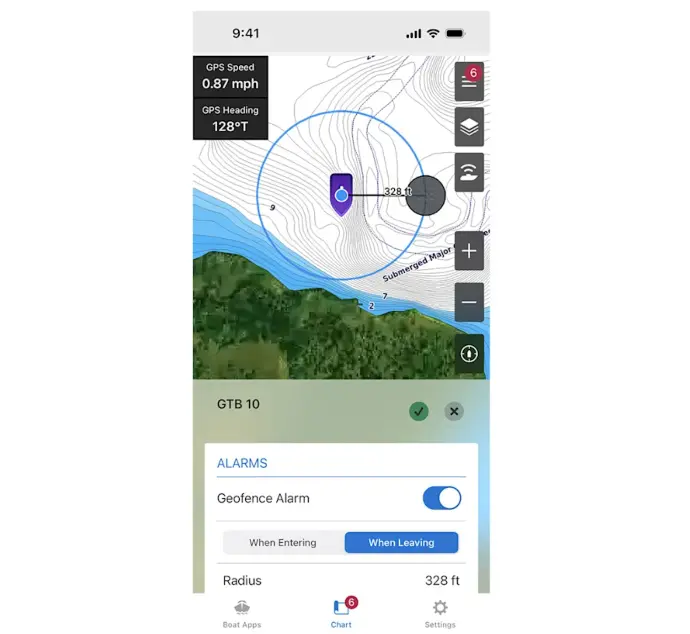
Geo-Fence
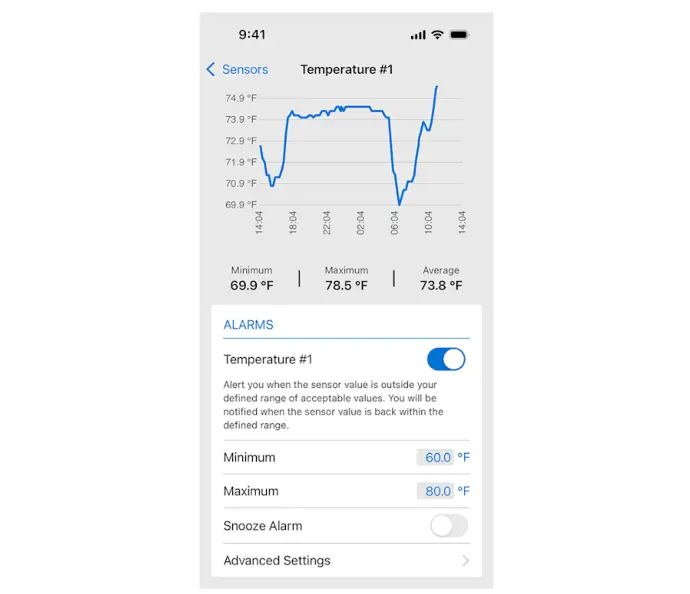
Temperature History
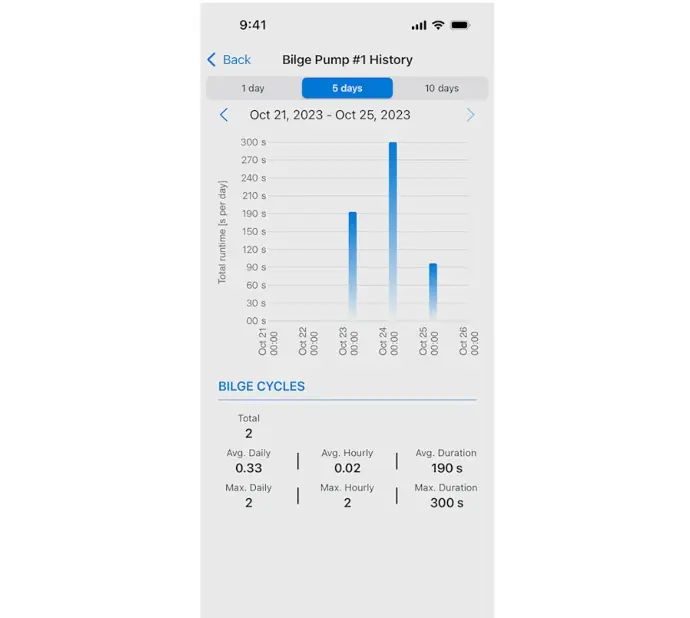
Bilge History
Shop Garmin Products
BOE Marine installs at 4 locations: Annapolis MD, Fort Lauderdale FL, Stuart FL, and Lake Norman NC. Lifetime tech support included.


